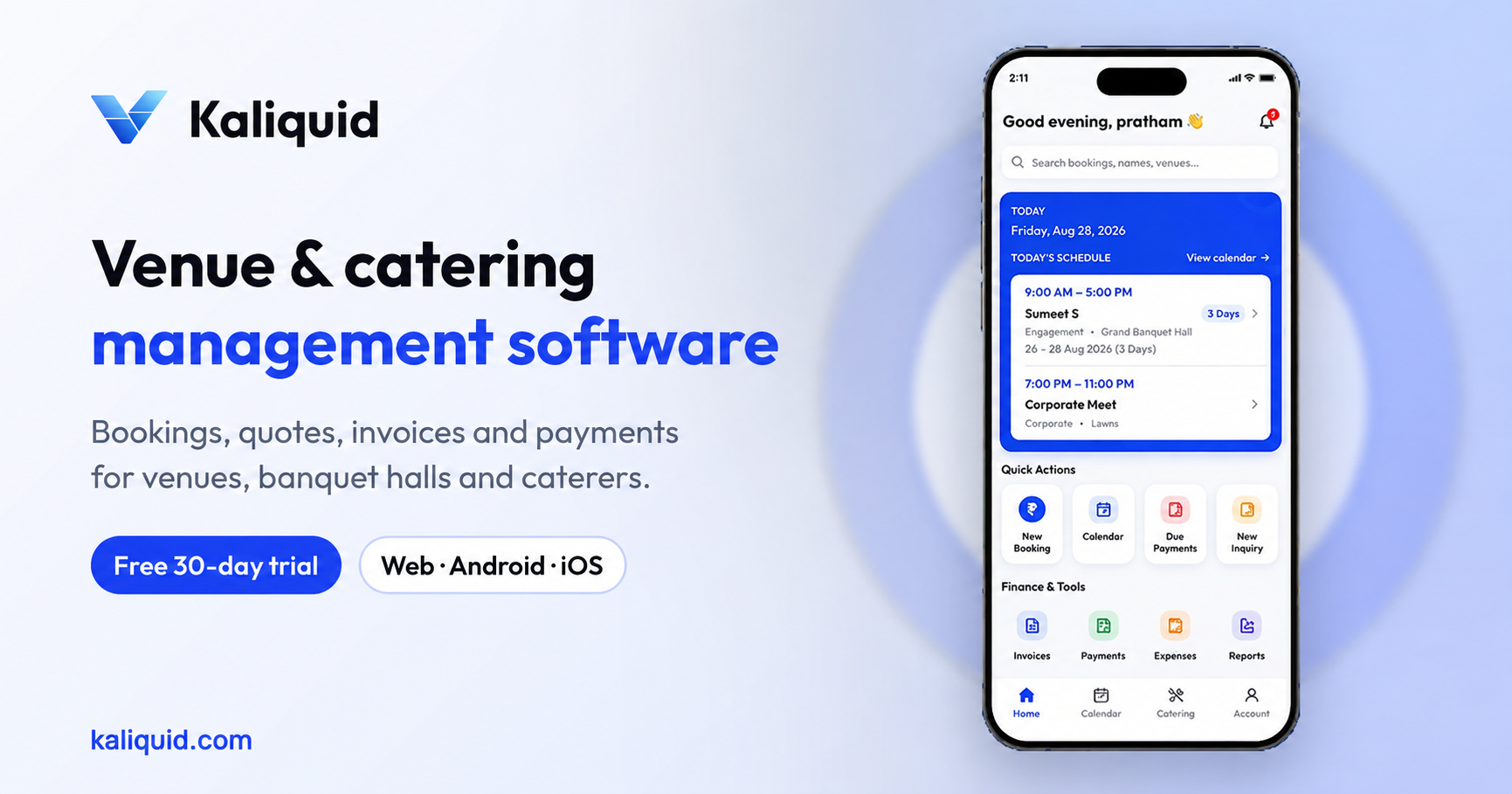

Most venue software starts from a hotel or a restaurant and then gets stretched to fit a banquet hall. We went the other way. We started from the register that sits on the front desk of an Indian hall, the one with dates, names, advance amounts and phone numbers written in three colours of ink, and asked what a system would need to replace it without making the owner's day harder.
This post explains why we built Kaliquid as our own engine instead of adapting an existing booking tool, and the design choices that came out of that decision. If you are choosing software for your venue, the same questions will help you judge any product, including ours.
Why a generic booking tool did not fit
A banquet hall looks simple from outside. One building, a few rooms, some dates. Inside, it behaves very differently from a hotel room or a restaurant table.
A single wedding can hold a hall for a morning ceremony and an evening reception. A family books months ahead with a small advance, changes the guest count twice, adds catering late, and pays the rest in pieces. The same date is often requested by two families on the same afternoon. And the owner needs to know, at any moment, how much has come in and how much is still pending.
The booking tools we looked at were built around slots that are either free or taken. They had no idea what an advance was, no place for a catering menu inside a booking, and no invoice that showed CGST and SGST the way an Indian accountant expects. Owners who tried them ended up keeping the paper register anyway, which meant two sources of truth and more mistakes, not fewer.
That was the real problem we set out to solve. Not a lack of software, but software that forced hall owners to think like hotel managers.
Design choice 1: the booking is the centre of everything
In Kaliquid, almost every screen starts from a booking. When you create one, you fill in four groups of information in a single flow:
- Customer details: name, mobile number and anything else you want on record
- Event details: event type, date, time, venue and number of guests
- Catering details, if you offer it: menu, quantity and special requirements
- Payment details: total amount, advance received, remaining balance, payment method and remarks
Before you save, you see a booking summary. After you save, the booking appears on the calendar, its payments show up in payment management, and it can be turned into an invoice later. We chose this because it mirrors how a hall actually works. The booking is the job. Everything else, from the menu to the final bill, hangs off it.
Design choice 2: the calendar must refuse to double-book
The most expensive mistake in a hall is two families arriving for the same slot. It usually happens because two people took bookings from two different places, a phone call and a walk-in, and nobody cross-checked.
So the calendar is one shared view of every booking across your venues, and the system warns you when you try to book a date and slot that is already taken. It sounds basic. It is also the feature owners mention first once they stop using a paper register, because the check happens every time, even on the busiest Saturday in wedding season.
Design choice 3: money is tracked per booking, not per month
Hall owners rarely get paid in one go. There is a token to hold the date, a larger payment closer to the event, and a final settlement. We built payment management around that reality:
- Received payments, with the method and a remark for each
- Pending balances for every booking
- Full payment history, so you can answer "how much have I paid?" in seconds
- Due-date and overdue alerts, so a balance does not quietly slip past the event
We deliberately kept it per booking. When a client calls, the question is always about their event, not about your monthly total. The monthly view lives in reports, where it belongs.
Design choice 4: Indian billing out of the box
Invoices in Kaliquid show CGST and SGST, and you can edit, print or download them. Financial and invoice data can be exported to Tally for your accountant. Receipts and terms and conditions carry your own branding.
We did not want owners to "configure GST" in a settings maze before they could send a single bill. The format your accountant expects should simply be there.
Design choice 5: a team, not a single login
Many halls run on one shared login, which means everyone can see everything, including margins and payment history. We built team management so an owner can add managers and staff, assign a manager to a specific hall, and choose between Full Access, Limited Access or custom permissions for modules such as bookings, payments and reports. Team members get booking and event details directly in the app instead of through forwarded WhatsApp screenshots.
Design choice 6: works on the phone in your hand
Owners and managers are rarely at a desk. They are on the floor, at the gate or with a family on a site visit. Kaliquid runs as an Android app, an iOS app and a web app, and a booking can be shared as a PDF or as WhatsApp text in a couple of taps. A built-in assistant helps new users find their way around without a training session.
What we left out on purpose
Building our own engine also meant saying no. We did not add features that look good in a demo but that a hall owner would never open. Every module in Kaliquid, from inquiries to discounts, exists because it matches a step that already happens in a hall today. If a step does not exist in a real venue, it does not get a screen.
A checklist for judging any venue software
Before you choose a system, ours or anyone else's, check these:
- Can one booking hold customer, event, catering and payment details together?
- Does the calendar warn you before a date or slot is double-booked?
- Can you see the pending balance for a single booking instantly?
- Do invoices show CGST and SGST in the format your accountant uses?
- Can you export to Tally, or will someone retype everything?
- Can you limit what each staff member sees?
- Does it work on the phone your manager actually carries?
Try it on your own bookings
Kaliquid Pro costs Rs 999 per hall per month, or Rs 750 per month when billed yearly, with custom Enterprise plans for groups. Add a few of this month's bookings and see whether the calendar, payments and invoices match how your hall already runs.
Start your 30-day free trial at kaliquid.com.
Frequently Asked Questions
Why didn't you adapt an existing booking tool?
The tools we tried treated a hall like a hotel room or a restaurant table: a slot that is free or taken. They had no place for an advance, a catering menu inside a booking, or invoices with CGST and SGST. Owners ended up running the paper register alongside them, which defeated the purpose.
What does Kaliquid replace in a typical hall?
The booking register, the separate payment notebook, the Excel sheet used for invoices, and the WhatsApp threads used to tell staff about events. Bookings, payments, invoices, reports and team updates live in one place instead.
Does Kaliquid stop double bookings?
The shared calendar shows every booking across your venues and warns you when you try to book a date and slot that is already taken, so two people cannot unknowingly confirm the same slot.
Can I manage more than one hall?
Yes. You can add multiple venues, assign managers to specific halls, and view all bookings on one calendar while controlling what each team member can access.
Which devices does Kaliquid run on?
There is an Android app on Google Play, an iOS app on the App Store, and a web app. Bookings can be shared as a PDF or as WhatsApp text from any of them.
Kaliquid
Venue, banquet and catering management software used by venue teams. kaliquid.com · Google Play · App Store
© 2026 Kaliquid All rights reserved.