
Adding a second hall looks like doubling the business. In practice it often doubles the confusion first. The owner who could hold one hall's calendar in his head now has two sets of dates, two managers, two sets of rates and two cash boxes. Enquiries for the lawn get quoted at the banquet hall's price. The new hall's manager runs things his own way. At month end, nobody can say which property actually made money.
None of that is a reason not to grow. It is a reason to set up the second hall differently from the first. This post covers how to run several halls from one system: one calendar, clear rates per hall, a manager for each property, and numbers you can compare.
Where multi-hall operations break
The problems are predictable, which means they are preventable:
- Separate calendars. Each hall keeps its own register, so nobody can answer "what do we have free on the 18th?" across all properties at once.
- Mixed-up pricing. Rates for a 500-guest hall and a 150-guest party room get quoted interchangeably.
- Unclear ownership. It is not obvious which manager is responsible for which bookings and which balances.
- Numbers you cannot split. Revenue arrives in one pile, so you cannot see that the lawn is carrying the smaller hall, or the other way round.
- Inconsistent documents. Each property writes its own receipts and terms, so customers of the same business get different rules.
One calendar across every hall
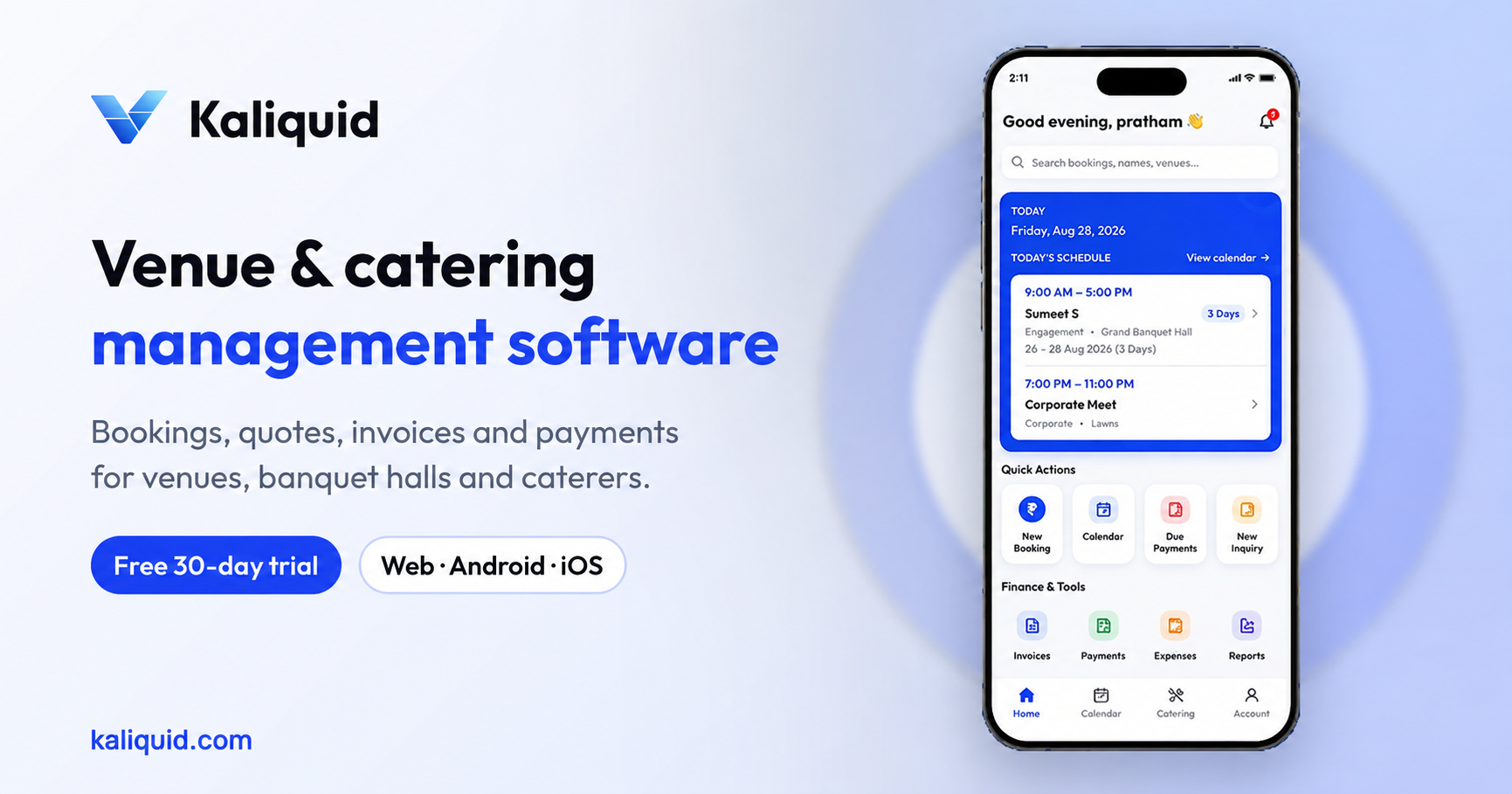
In Kaliquid you add each hall, lawn or room as a venue under one business. Every booking is created against a specific venue, with its date, time and guest count. The result is a single calendar that shows all your properties together, while each booking still belongs to one hall.
This helps in two directions. At the desk, a coordinator can see instantly that the main hall is taken on the 18th but the terrace is free, and offer it to the customer on the same call. And because each booking is tied to its hall, a booking on the lawn does not block the banquet hall, while a second booking for the same hall and slot triggers a conflict warning before it is saved. Our post on centralised calendars and conflict detection goes deeper on that part.
Set rates per hall
Different spaces earn differently. A 500-seat air-conditioned hall, a 200-seat lawn and a 60-seat party room should not share one price list. Use venue fee management to configure the charges for each venue, and update them when your seasonal rates change. When someone builds a booking, the right hall's fees are there to work from rather than being remembered or guessed.
A useful discipline: review each hall's rates at the start of wedding season and again before the monsoon lull. It is much easier to keep rates honest when each property has its own line.
Give each hall a manager, and give each manager the right access
As you grow, the owner stops being present at every function. Each property needs someone accountable. Kaliquid lets you add team members and hall managers and assign managers to specific halls or venues. Team members receive booking and event details in the app, so the manager at the second property knows what is coming without waiting for a phone call.
Access matters as much as assignment. A hall manager usually needs bookings and event details; they may or may not need payments and reports. Kaliquid supports Full Access, Limited Access and Custom Permissions by module. We cover how to decide in our guide to staff roles and permissions.
Track payments and balances per hall
Growth hides unpaid money. With two or three halls running functions on the same weekend, a balance of ₹40,000 on one booking is easy to lose track of. Record every advance and payment against the booking it belongs to, including the payment method. Kaliquid's payment management shows received payments, pending balances and payment history, and due-date and overdue notifications remind your team before a balance slips.
Because each booking belongs to a hall, reviewing balances booking by booking shows which property is collecting well and which needs attention. That is often where the real difference between two managers shows up.
Compare the halls with reports
Kaliquid's reports on bookings and revenue, plus quick insights, give you the figures, and because every booking is tied to a hall you can review each property's functions and balances alongside the others. The questions worth asking every month are simple:
- Which hall had the most functions, and which had the most revenue?
- Which hall has the most pending balances?
- Are weekday bookings growing anywhere, or are all halls still dependent on weekends?
- Is one property always discounting to win bookings?
When the answers come from the same system for every hall, the conversation with each manager is about facts rather than impressions.
Keep documents and terms consistent
Customers talk. If one of your properties gives a receipt with clear terms and the other hands over a handwritten slip, the business looks disorganised. Set your business branding and terms and conditions once in Kaliquid, so receipts and shared documents carry the same name and rules at every property. Invoices can be generated, edited and printed with CGST and SGST shown, and exported to Tally so your accountant sees every hall's figures in one ledger.
A practical order for setting up a new hall
- Add the new venue and its capacity to your business.
- Configure its venue fees before the first enquiry arrives.
- Enter its existing bookings, so the calendar is complete from day one.
- Add its manager, assign them to the hall and set their access.
- Check that the terms and branding on its receipts match your other properties.
- Review its bookings, payments and revenue alongside your other halls at the end of the first month.
When to look at Enterprise
Kaliquid's Pro plan is priced per hall: ₹999 per hall per month, or ₹750 per month billed yearly. That suits most owners with one to a few properties. If you run a larger group, several venues across cities, or need arrangements that do not fit a per-hall plan, ask us about Enterprise, which is priced to your setup.
Start your 30-day free trial at kaliquid.com. You can also read how Kaliquid supports multi-hall booking.
Frequently Asked Questions
Can one Kaliquid account manage several halls or venues?
Yes. You add each hall, lawn or room as a venue under your business, and every booking is created against a specific venue. You get one calendar across all properties, while bookings, rates and payments stay tied to the hall they belong to.
Will a booking in one hall block the other halls?
No. Because each booking is assigned to a venue, a function on the lawn does not block the banquet hall on the same evening. A second booking for the same hall and slot is what triggers the conflict warning, so your separate spaces can be sold independently.
Can I assign a manager to just one hall?
Yes. Kaliquid lets you add hall managers and assign them to specific halls or venues. Combined with Full Access, Limited Access or Custom Permissions by module, you can decide both which property a manager handles and which parts of the app, such as payments or reports, they can use.
How do I compare how each hall is performing?
Use the reports for bookings and revenue, and the payment views for received and pending amounts. Because every booking is tied to a hall, you can review each property's functions and outstanding balances and compare them month by month with your managers.
Is pricing per hall or per account?
The Pro plan is per hall: ₹999 per hall per month, or ₹750 per month when billed yearly. Larger groups with many venues can ask about Enterprise pricing, which is set to fit the number of properties and how the business is organised.
Kaliquid
Venue, banquet and catering management software used by venue teams. kaliquid.com · Google Play · App Store
© 2026 Kaliquid All rights reserved.